Hi Modano Team - Are there any guidance documents or videos on the scenario manager analysis modules?
Hi Blake,
We’ve removed a large number of videos from our videos page this year because we’ve simplified Modano so much that we decided it was more confusing to leave them online than take them down.
For example, we did have an old video called Adding scenario analysis to your Modano financial model (you can watch it here) but it’s based on the old local Excel version of Modano with a very different UI. It’s also based on a financial model which does not contain variable drivers, so all revenue categories have the same driver in that video.
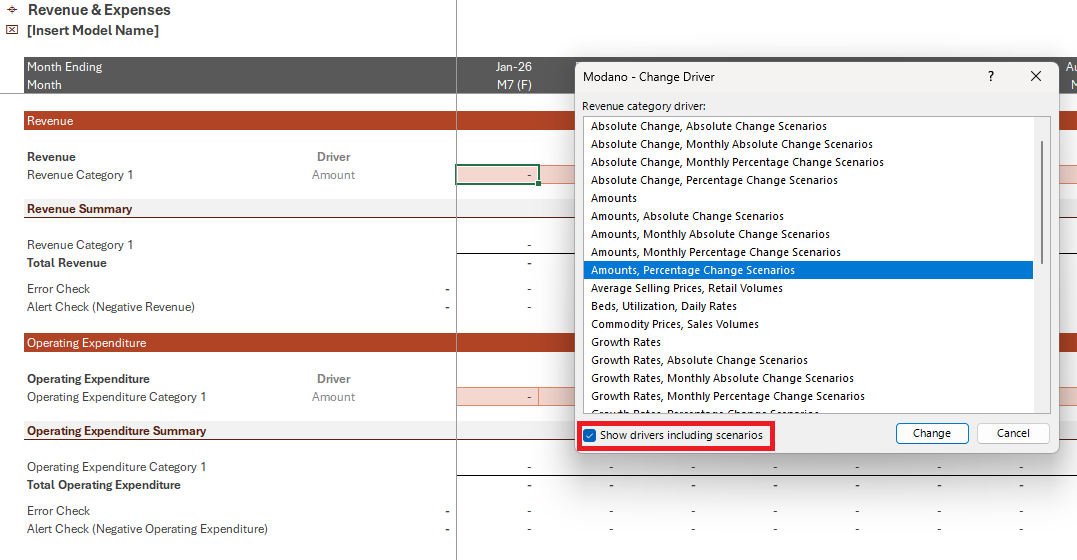
The scenario analysis principles discussed in the old video are still relevant, but in the latest version of Modano the scenario manager is automatically included within your financial models whenever you use the Change Driver tool, check the Show drivers including scenarios check box, then select a driver including scenarios, as done below for a revenue category.
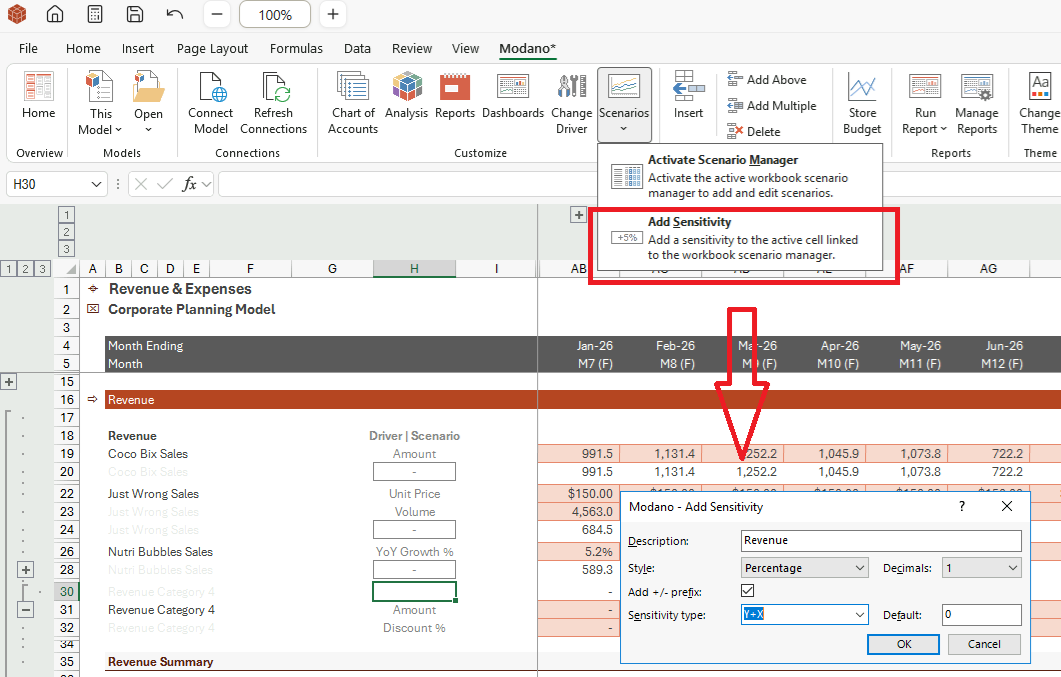
Alternatively, once a scenario manager is included in your model (which you can do via the Modano tab, Customize group, Analysis, Scenario Manager), you can then add custom sensitivities to any line item by switching to Spreadsheet Mode, then selecting the Add Sensitivity menu item from the Scenarios menu within the Modano, tab, as shown below:
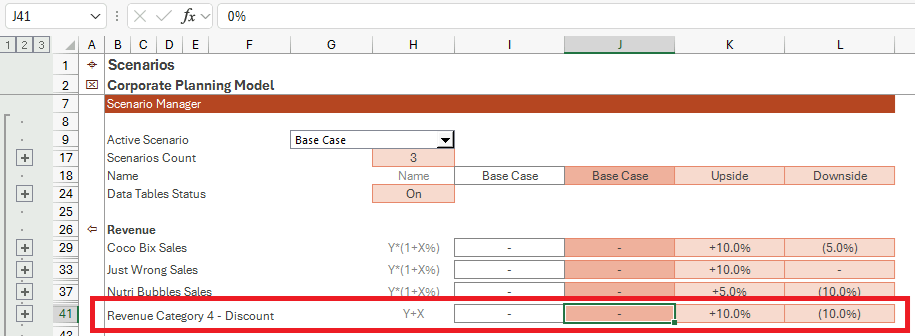
This will add the specified sensitivity assumption to the scenario manager - as shown below - in this example I’ve amended the formula in cell B41 to return the revenue category name and " - Discount":
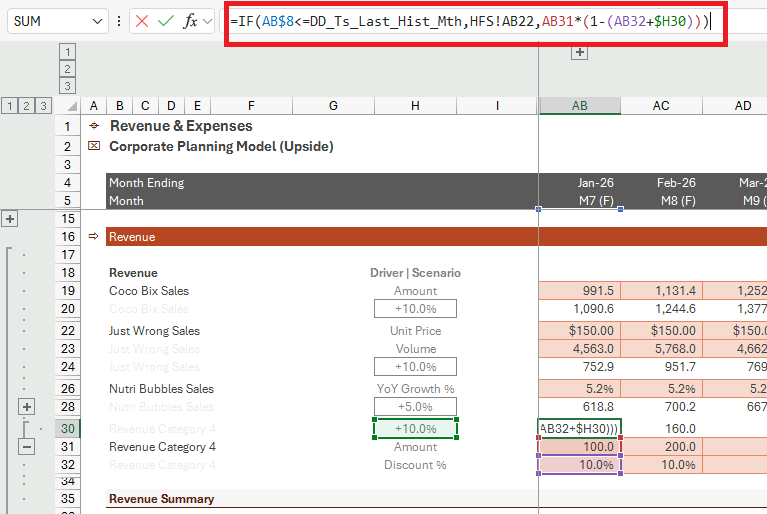
Note you will then need to go back into the driver assumptions and amend or enter the formulas necessary to incorporate your new sensitivity, as I’ve done below - noting also that I’ve changed the active scenario to the Upside case.
Let me know if this is enough to keep you moving in absence of dedicated videos.
We are aiming to record a bunch of now videos in calendar Q4 of this year.
2 Likes